# MomentLetter
**Repository Path**: idealclover/MomentLetter
## Basic Information
- **Project Name**: MomentLetter
- **Description**: ✉️ A Moment Letter / 时光信笺: A Flutter APP
- **Primary Language**: Dart
- **License**: GPL-3.0
- **Default Branch**: master
- **Homepage**: None
- **GVP Project**: No
## Statistics
- **Stars**: 0
- **Forks**: 0
- **Created**: 2022-03-13
- **Last Updated**: 2025-04-13
## Categories & Tags
**Categories**: Uncategorized
**Tags**: None
## README

Moment Letter / 时光信笺
> ✨愿未来能让人有所期待。
## 这是什么
[ihewro](https://www.ihewro.com) 的 [handsome](https://www.ihewro.com/archives/489/) 主题提供了一个很好的 idea:即可以在Typecho 博客中建立一个独立页面,通过评论的形式展示自己的心情动态,提供一个类似个人推特的形式,我们一般叫它时光机。
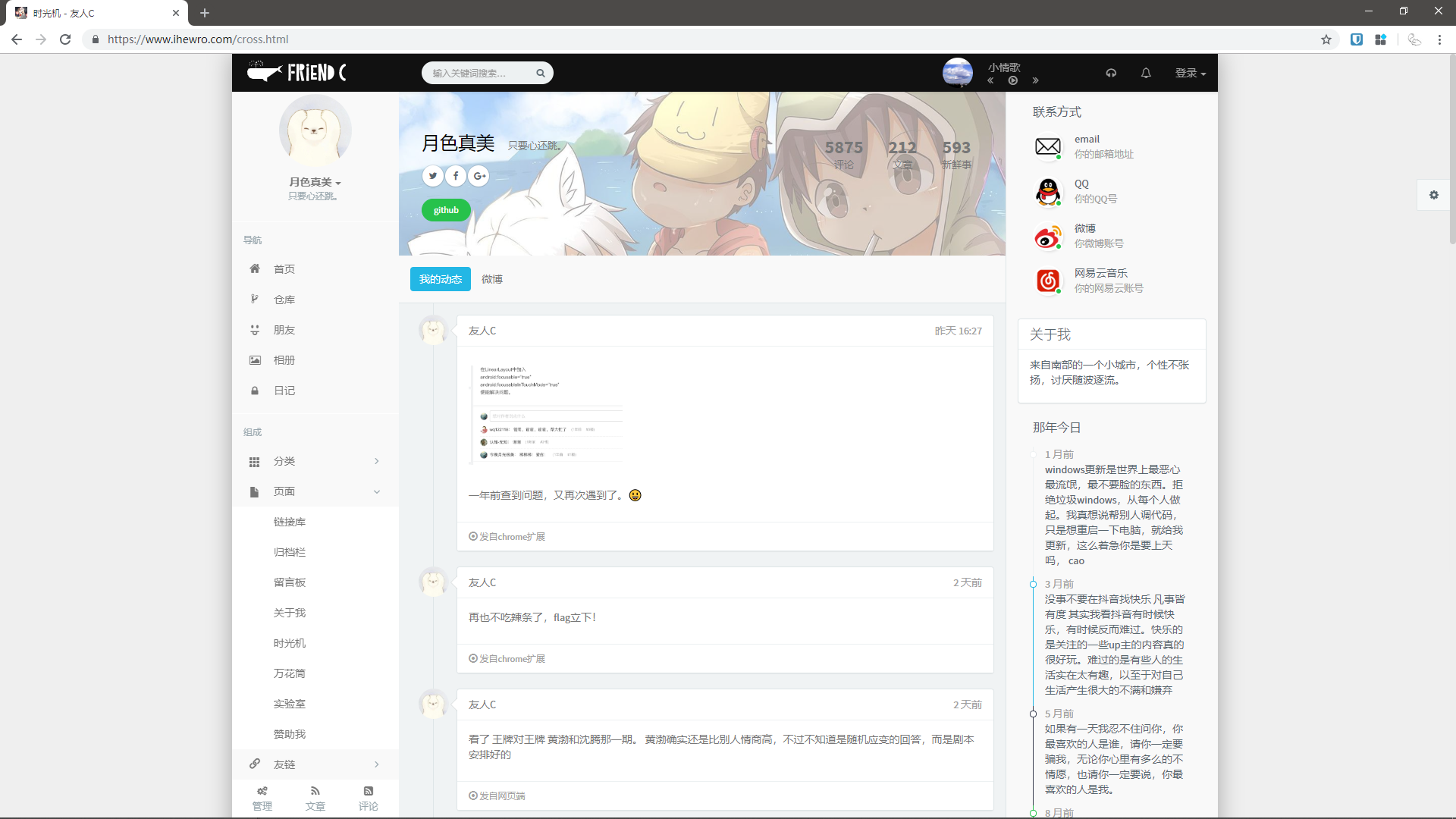
后来即使是不再使用这个主题了,但时光机这个功能还是令自己难忘,并移植到了自己的[主题](https://github.com/idealclover/clover)之中(暂仍处于开发阶段)。
handsome 作者的时光机在 [这里](https://www.ihewro.com/cross.html),傻翠的因为太过羞耻就先不放了,有兴趣的可以自行搜寻。
于是傻翠用 flutter 做了一个~~理论上跨平台~~的APP,可以实现查看时光机,发送时光机的功能,就不用再打开电脑再发送了。
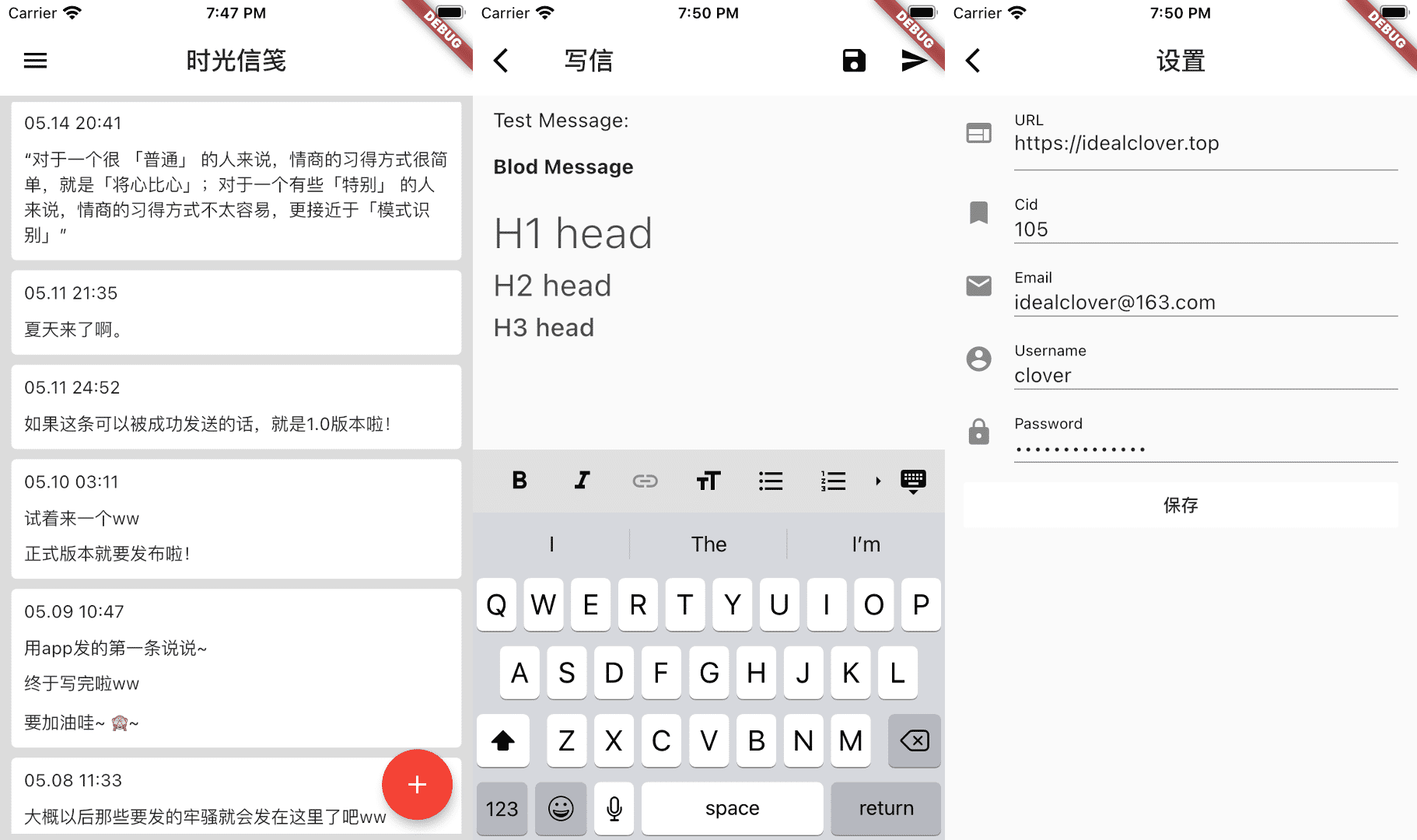
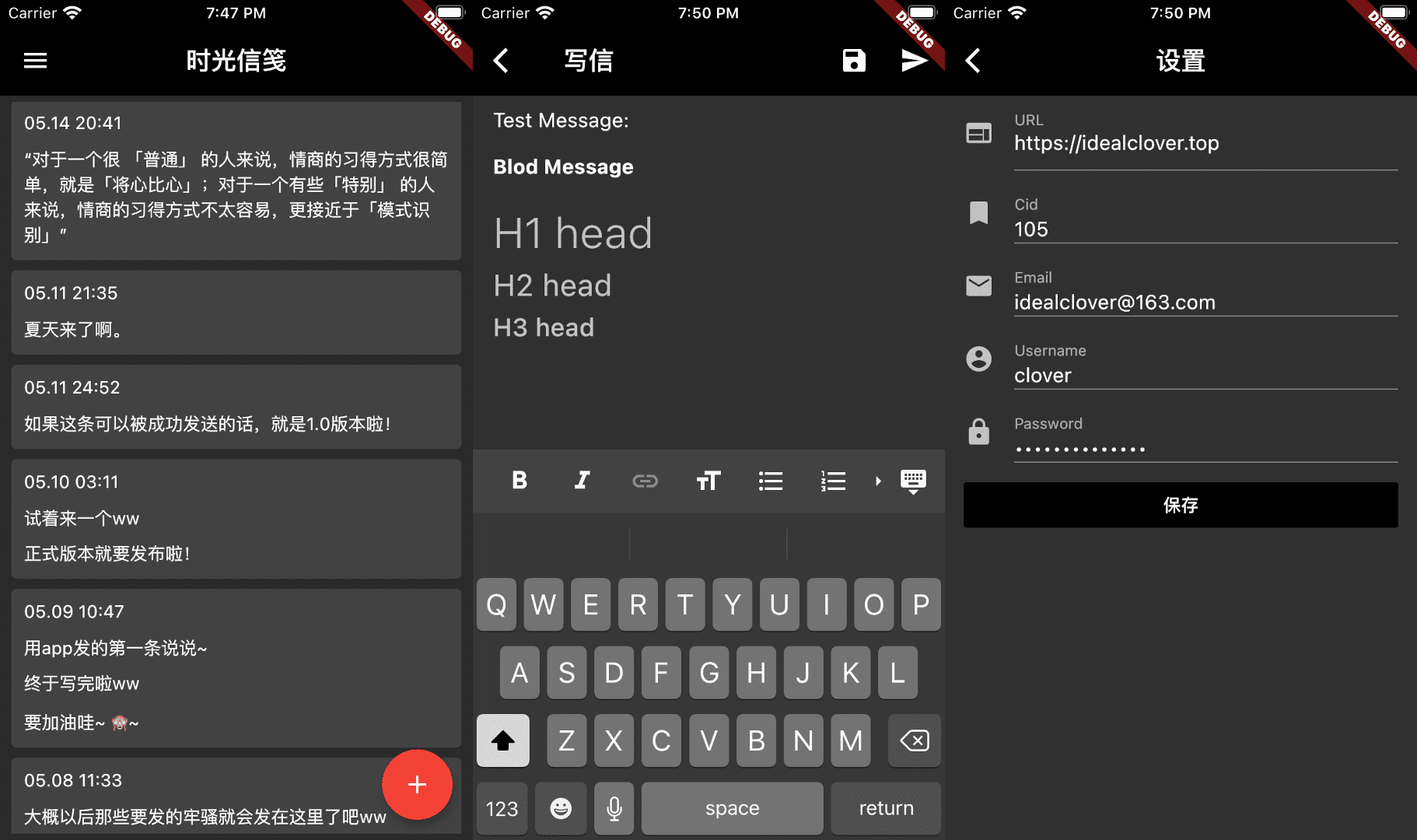
这款 APP 背后与 Typecho 后端通信的接口使用的是 Typecho 原生的 XMLRPC 接口。这意味着并不需要过多配置,你便可以轻松接入。
总之,如果你也拥有 Typecho 博客,也想自建时光机;或者如果你也使用 handsome 主题,那就来试试吧!
## 如何使用
Android:在 [酷安](https://www.coolapk.com/apk/229824) 或 [release](https://github.com/idealclover/MomentMachine/releases) 中下载 apk 包并安装
苹果:已提交 testflight 等待审核中。
如果评论无法显示或被反垃圾,需要在``` Typecho 后台 - 设置 - 评论``` 中 将 ```开启反垃圾保护``` 关闭。对于仍然需要反垃圾保护的情况,我们推荐使用 [CommentFilter-typecho](https://github.com/jrotty/CommentFilter-typecho) 插件,并在插件设置中将 ```屏蔽机器人评论``` 关闭。
进入 APP 中后会提示设置,在设置完```网站```,```cid```,```用户名```和```密码```后即可测试使用。
## Minimum Viable Product
- [x] 评论获取改为xmlrpc
- [x] 标题改成中文
- [x] 头像邮箱信息
- [x] 评论markdown
- [x] 第一次使用提示设置
- [x] 支持图片
- [x] 自动保存
- [x] 捐赠页
## Next TODOs
- [ ] 支持音频/视频
- [ ] 更换主题
## Contribute
如果有任何想法或需求,可以在 issue 中告诉我们,同时我们欢迎各种 pull requests
## Open-source Licenses
This project is under [GNU General Public License v3.0 license](https://github.com/idealclover/MomentMachine/blob/master/LICENSE), feel free to use it **under the license**.
Also the project is based on following flutter libraries:
* shared_preferences: ^0.4.3
* flutter_markdown: ^0.2.0
* flutter_bugly: ^0.2.0
* fluttertoast: ^3.0.4
* url_launcher: ^5.0.2
* zefyr: ^0.5.0
* xml_rpc: ^0.2.2
* crypto: ^2.0.6
* dio: ^1.0.9
## Getting Started
This project is a starting point for a Flutter application.
A few resources to get you started if this is your first Flutter project:
- [Lab: Write your first Flutter app](https://flutter.io/docs/get-started/codelab)
- [Cookbook: Useful Flutter samples](https://flutter.io/docs/cookbook)
For help getting started with Flutter, view our
[online documentation](https://flutter.io/docs), which offers tutorials,
samples, guidance on mobile development, and a full API reference.